
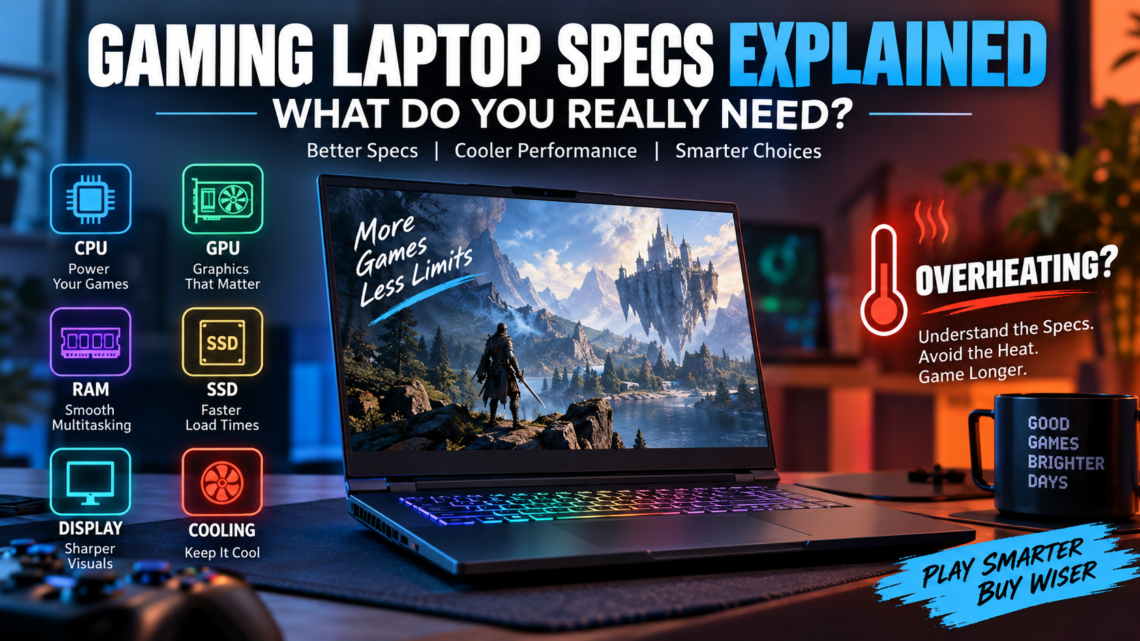
Gaming Laptop Specs Explained: What Do You Really Need?
September 14, 2026Shopping for a gaming laptop can quickly turn into a numbers game. One model advertises more CPU cores, another pushes a faster GPU, while others compete with huge RAM figures, high refresh rates, extra VRAM, and larger SSDs. The difficult part is knowing which of those numbers will actually improve the games you play.
That is why understanding gaming laptop specs is more useful than simply buying the machine with the longest specification sheet. Your ideal hardware depends on the games you enjoy, the resolution you want to play at, the frame rate you expect, and how much you are willing to spend.
The GPU usually has the biggest influence on gaming performance, but it cannot do everything alone. A capable CPU helps keep gameplay responsive, enough RAM supports the game and background applications, and VRAM becomes increasingly important as graphics settings and resolution rise. An SSD affects storage space and loading experience, while the display determines how much of your laptop’s performance you can actually see.
Cooling deserves attention too. Powerful components generate heat, and a laptop has much less room to manage that heat than a desktop PC. A well-balanced machine with effective cooling can therefore be a smarter choice than one that looks stronger only on paper.
Budget changes the equation again. Someone researching the best gaming laptops under 1000 has very different priorities from a buyer considering a desktop-replacement machine. Likewise, people searching for the best gaming laptops for Genshin Impact cheap may not need the same hardware as someone planning to play demanding AAA titles at high resolutions.
This guide breaks down the important gaming laptop requirements one at a time. We will look at the CPU, GPU, RAM, VRAM, SSD, display refresh rate, cooling, and other specifications that affect real-world use. More importantly, we will identify where spending extra money can improve your experience—and where an impressive number may simply increase the price.
The goal is not to build the most expensive specification list possible. It is to help you find a gaming laptop where the hardware, gaming performance, and budget actually make sense together.
What Specs Do You Need for a Gaming Laptop?
A good gaming laptop does not need the highest number in every category. What matters more is how well the CPU, GPU, memory, storage, display, and cooling system work together.
For most gamers, 16GB of RAM, an SSD, a modern processor, and a dedicated GPU provide a sensible starting point. From there, you should spend more according to the games you play and the resolution or frame rate you want.
Here is a simple way to understand the different hardware levels:
| Component | Entry-Level Gaming | Recommended | High-End Gaming |
|---|---|---|---|
| CPU | Modern 6-core class | Strong 6–8+ core | High-performance 8+ core |
| GPU | Entry dedicated GPU | Mid-range dedicated GPU | High-end dedicated GPU |
| RAM | 16GB | 16–32GB | 32GB+ |
| Storage | 512GB SSD | 1TB SSD | 1–2TB SSD |
| Display | 1080p / 120Hz+ | 1080p–1600p / 144Hz+ | 1600p+ / high refresh |
| VRAM | Depends on the game | 8GB-class or better | Higher-capacity VRAM |
These ranges are better treated as a buying framework, not strict rules. A lightweight esports title and a graphically demanding AAA game can have completely different hardware needs.
For example, 16GB of RAM can be perfectly reasonable for many gaming setups. Moving to 32GB becomes more attractive when you also stream, create content, use heavy applications, install demanding mods, or simply want more memory headroom.
Storage works in a similar way. A 512GB SSD can keep the initial price down, but a few large games can consume that space surprisingly quickly. For someone maintaining a bigger game library, 1TB is usually more comfortable.
Don’t Choose a Laptop by the GPU Name Alone
The graphics chip is extremely important, but there is a catch with gaming laptops: the GPU name does not tell you everything about its real performance.
A laptop has limited space for cooling and power delivery. Manufacturers can configure similar graphics hardware differently depending on the size and design of the machine. Cooling quality also affects how comfortably the CPU and GPU can maintain demanding workloads.
As a result, two laptops that look very similar on a specification sheet can behave differently during a long gaming session.
This is especially important when shopping on a tight budget. Someone looking for the best gaming laptop under $1000 should not automatically choose whichever model advertises the most impressive GPU name. A more balanced laptop with suitable power delivery, effective cooling, enough RAM, and a good display may provide the better overall experience.
The same principle applies at the expensive end of the market. Paying for premium components makes little sense if the laptop cannot use that hardware effectively for the games and workloads you actually have.
So before comparing individual models, decide what level of gaming you need. Once that is clear, it becomes much easier to determine how much CPU power, GPU performance, RAM, VRAM, and storage are actually worth paying for.
GPU: The Most Important Gaming Laptop Spec
When gaming is the priority, the GPU deserves more attention than almost any other component. It handles much of the work required to create the images you see while playing, including lighting, textures, shadows, visual effects, and the final frames sent to the display.
A stronger graphics processor can make demanding games easier to run at higher settings or resolutions. But buying the fastest GPU you can afford is not always the smartest approach. Your games, screen resolution, desired frame rate, VRAM, laptop cooling, and GPU power configuration all influence how much graphics performance you actually need.
Integrated vs Dedicated Graphics
Integrated graphics share resources with the main processor and system memory. They are designed to use less space and power, which makes them useful for everyday computing and lighter gaming.
For classic DOS games, older PC titles, simple indie games, and some less demanding modern games, integrated graphics can be perfectly adequate. This is one reason you do not necessarily need an expensive gaming laptop to enjoy retro PC gaming.
That distinction is useful when looking at the best gaming laptops for Genshin Impact cheap as well. A laptop should be selected according to the actual game and desired settings rather than simply because the word “gaming” appears in its name.
Dedicated graphics work differently. A dedicated GPU has its own graphics resources and is built to handle heavier visual workloads. It becomes much more valuable when you want to play modern AAA games, increase graphics settings, use higher resolutions, target faster frame rates, or work with GPU-intensive creative applications.
So, the choice is not simply integrated graphics = bad and dedicated graphics = good. The better question is: does your GPU match the games you intend to play?
For retro gaming, the answer may involve surprisingly modest hardware. For demanding modern gaming, dedicated graphics quickly become one of the most important parts of the laptop.
How Much VRAM Do You Need for Gaming?
VRAM is memory available specifically for graphics-related work. Games can use it for textures, rendered images, visual data, and other assets needed by the GPU.
How much you need depends on what you play.
A game running at 1080p with moderate graphics settings can place different demands on VRAM than another game running at a higher resolution with detailed textures and advanced visual effects. Newer games can also be more demanding than older titles.
That is why I would avoid choosing a gaming laptop based on a single rule such as “every gamer needs X GB of VRAM.”
Instead, consider the games, resolution, graphics settings, and expected lifespan of the laptop together. More VRAM can provide useful headroom, but paying for capacity you will never use does not automatically improve your gaming experience.
This is also where retro gaming differs dramatically from modern gaming. Classic PC titles were created for hardware from a very different era, so their graphics-memory requirements are tiny compared with today’s demanding games.
Laptop GPU Wattage Matters Too
Here is where gaming laptop specifications become a little more complicated.
Seeing the same GPU family or model name on two laptops does not guarantee identical performance.
A laptop manufacturer has to work within limits created by the chassis, cooling hardware, battery, power adapter, and overall design. The amount of power available to the graphics processor can therefore influence how aggressively it operates.
You may see TGP, or Total Graphics Power, mentioned when comparing gaming laptops. In simple terms, it helps describe the GPU’s available power budget under its configured operating conditions.
Cooling enters the picture at the same time. A laptop has to move heat away from its CPU and GPU while fitting everything inside a relatively small body. If its thermal design cannot comfortably handle a demanding workload, simply having impressive components on the specification sheet does not tell you how the machine will behave during a long gaming session.
This is why buyers comparing the best gaming laptops under 1000 should look beyond the GPU badge. Independent performance tests, sustained temperatures, power configuration, fan behavior, and overall cooling design can reveal differences that a basic product listing cannot.
A balanced laptop may therefore deliver a better experience than another machine that appears more powerful at first glance. The GPU matters enormously, but how the laptop uses that GPU matters too.
After the paragraph explaining that laptop GPU names alone don’t guarantee identical performance, add:
This is why the GPU name should never be your only comparison point. NVIDIA’s official laptop GPU specifications show that GPUs within the same laptop series can operate across different power ranges, reinforcing the importance of checking the configuration of the individual laptop.
CPU: How Much Processor Power Do You Actually Need?
The GPU may handle most of the visual workload, but the CPU still has a major influence on how smoothly a gaming laptop feels. It processes game logic, physics, simulation, input, and many tasks happening behind the scenes while you play.
CPU performance becomes especially noticeable when a game needs to calculate many things at once. Strategy games with large maps, simulation titles, competitive games targeting very high frame rates, and busy open-world environments can all place meaningful demands on the processor.
The CPU also has to share its attention with everything else running on your laptop. Voice chat, a browser, game launchers, recording software, streaming tools, and background services can continue using processor resources while your game is open.
For this reason, buying the weakest CPU simply because a laptop has an attractive GPU can create an unbalanced system. At the same time, spending heavily on a top-tier processor is unnecessary if your games will rarely take advantage of that extra power.
CPU Cores vs Clock Speed for Gaming
Processor specifications often encourage an easy comparison: more cores must mean more speed, or a higher GHz number must mean a better gaming CPU.
Real performance is more complicated.
Extra cores can help when games and other applications divide their work across multiple processing resources. They can also provide breathing room when you are gaming while streaming, recording, browsing, or performing another demanding task.
Clock speed is useful information too, but GHz should not be compared in isolation between completely different processor designs or generations. A newer CPU can perform more work during each clock cycle, while power behavior, cache, architecture, cooling, and the laptop manufacturer’s configuration can further change the result.
This means a processor with the largest core count or highest advertised frequency is not automatically the best choice for your particular game.
For a gaming laptop, aim for enough CPU performance to complement the GPU. Once the processor is already fast enough for your target games and frame rates, putting additional budget toward the GPU, display, storage, or cooling may produce a more noticeable improvement.
Intel vs AMD for Gaming Laptops
The Intel-versus-AMD question does not have one answer that works for every gaming laptop.
Both companies offer processors across different performance and price levels. Instead of choosing a laptop simply because the lid carries an Intel or AMD badge, compare the specific CPU model and generation inside it.
The laptop itself matters just as much. Manufacturers decide how much power and cooling their designs can provide. A processor placed inside a large performance-focused machine can behave differently from a similar-class chip installed in a thinner laptop with tighter thermal limits.
Efficiency matters as well. If you regularly use the laptop away from a power outlet, the balance between performance and power consumption can be important. If it will spend most of its life plugged in at a desk, sustained performance may deserve greater priority.
Price should be the final part of that comparison. When two laptops deliver similar gaming results, paying substantially more just to get your preferred CPU brand rarely makes sense.
So rather than asking “Intel or AMD?”, ask:
Which complete laptop gives me the best CPU, GPU, cooling, display, and overall performance for my budget?
That question is much more useful when choosing a gaming machine.
How Much RAM Does a Gaming Laptop Need?
RAM gives your games and other active programs a place to keep data they need quickly. If a laptop does not have enough memory, switching between a game, browser, voice chat, launchers, and other applications can become less comfortable.
For a new gaming laptop, 16GB is a sensible starting point for most people. More memory can be worthwhile, but only when your games or other workloads can actually benefit from it. RAM should therefore be considered alongside the CPU and GPU rather than treated as a shortcut to better gaming performance.
Is 16GB RAM Enough for Gaming?
For many gamers, yes. A 16GB configuration provides enough room for a wide range of games while still allowing normal background tasks such as Discord, a few browser tabs, or a game launcher.
The type of gaming matters, though. Someone playing older PC games, esports titles, indie releases, or less demanding games is unlikely to need huge amounts of memory simply for gaming.
Budget matters too. If choosing 32GB forces you to accept a significantly weaker GPU, the extra memory may be a poor trade. For many gaming-focused builds, putting that money toward stronger graphics performance can have a greater effect on the experience.
Do You Need 32GB RAM?
Moving to 32GB starts to make more sense when gaming is only one part of what you do.
You might benefit from the extra capacity if you regularly keep many programs open, stream gameplay, edit videos, work with creative software, use demanding mods, or play titles with unusually heavy memory requirements.
It can also provide extra headroom for someone planning to keep the same laptop for several years.
That does not mean 32GB automatically produces higher frame rates. If a game already runs comfortably within 16GB, simply doubling the RAM may produce little noticeable difference. Buy additional memory because your workload needs it, not because the larger number looks better on the specification sheet.
Upgradeable vs Soldered RAM
There is another RAM specification that deserves attention before you buy: can it actually be upgraded?
Some laptops provide accessible memory slots. Others use memory that is partly or completely soldered to the motherboard. A soldered configuration can limit your options later.
Imagine buying 16GB today with the intention of moving to 32GB in two years. That plan only works if the laptop supports the upgrade you have in mind.
Check the manufacturer’s memory configuration, maximum supported capacity, available slots, and whether replacing memory affects warranty conditions before purchasing. Upgradeability can sometimes be more valuable than paying extra for a large factory-installed configuration immediately.
Memory needs also depend on how the laptop will be used. Intel’s gaming RAM guide recommends at least 16GB for modern gaming and suggests considering more memory when gaming is combined with heavier multitasking.
SSD Storage: 512GB vs 1TB for Gaming
Storage does not make a weak GPU suddenly produce more frames, but it has a major effect on how practical a gaming laptop feels.
Modern laptops generally use SSD storage because it provides fast access to files and helps the operating system, applications, and games load quickly. For buyers, the harder decision is often how much SSD space to purchase.
The choice between 512GB and 1TB largely comes down to the size of your game library and whether the laptop allows inexpensive storage expansion later.
Is a 512GB SSD Enough?
A 512GB SSD can be enough if you maintain a small game library, mainly play lightweight or older titles, or do not mind removing games you have finished.
Remember that the advertised capacity is not all available for games. Windows, applications, updates, personal files, recovery data, and other content also need space.
Large modern games can then consume a significant portion of what remains. A 512GB drive that seemed spacious when the laptop was new can therefore feel restrictive surprisingly quickly.
For a budget-conscious buyer, however, starting with 512GB can still be sensible—particularly when the laptop provides an easy way to add more storage later.
Why 1TB Is the Better Starting Point for Many Gamers
For someone who plans to install several modern games at the same time, 1TB offers considerably more breathing room.
The benefit is mostly convenience. You can maintain a larger library without constantly deciding what to uninstall whenever another big game arrives.
This does not mean every gamer should pay for 1TB. Retro games and lightweight titles can require dramatically less storage than modern releases. Someone primarily interested in those games may get little value from purchasing a huge SSD.
Your game library should determine the capacity, not the idea that more storage is automatically better.
Check for an Extra SSD Slot
Before paying a large premium for factory-installed storage, find out whether the laptop provides an additional SSD slot.
A machine that starts with 512GB but supports straightforward expansion could be more flexible than a 1TB model with limited upgrade options. You could use the original drive for Windows and applications, then add another SSD later as your game collection grows.
Also check what SSD type and size the laptop supports, how many storage slots are available, whether any are already occupied, and whether opening the laptop affects the manufacturer’s warranty terms.
This is particularly useful when comparing affordable gaming laptops. Instead of spending your entire budget on maximum RAM and storage from day one, choosing upgradeable hardware can leave more money for the GPU, display, or other components that cannot be changed as easily.
Gaming Laptop Display: Resolution or Refresh Rate?
A gaming laptop’s screen can change how its performance actually feels. A powerful GPU is useful, but the display determines how much detail you see and how smoothly those frames are presented.
Two specifications deserve particular attention: resolution and refresh rate. Higher resolution can make games look sharper, while a faster refresh rate can make motion appear smoother. The best choice is usually a balance between the two rather than simply buying the largest numbers available.
1080p vs 1440p/1600p for Gaming
1080p remains a practical gaming resolution because it places a lighter workload on the GPU. That can help a laptop achieve higher frame rates without requiring top-tier graphics hardware.
This makes 1080p particularly sensible for competitive gaming, affordable gaming laptops, and players who care more about smooth performance than maximum image detail.
Moving to 1440p or 1600p gives the GPU more pixels to render. Images can look sharper, which is particularly noticeable on larger laptop screens and in games with detailed environments. The trade-off is additional graphics workload.
A higher-resolution screen therefore works best when the GPU is powerful enough to support it. Buying a beautiful 1600p panel but constantly reducing game resolution because the GPU struggles can defeat part of the reason for paying extra.
Is 144Hz Enough for Gaming?
For a large number of players, 144Hz is already a strong gaming experience.
A 60Hz screen refreshes far less frequently, while 120Hz and 144Hz displays can make movement and controls feel noticeably smoother when the laptop produces sufficiently high frame rates.
At 165Hz, the improvement over 144Hz is smaller than the jump from 60Hz to 144Hz. Moving to 240Hz or beyond can make more sense for competitive players who regularly achieve very high frame rates and value responsiveness.
That does not mean a 240Hz display is automatically better for everyone. Someone playing slower story-driven games may gain more enjoyment from better contrast, resolution, or image quality than from an extremely high refresh rate.
The important relationship is between GPU performance, game frame rate, and display refresh rate. Paying for a screen your hardware rarely takes advantage of provides little practical value.
IPS, OLED and Mini-LED Displays
Panel technology affects the screen in ways that resolution and refresh rate alone cannot explain.
IPS panels are common in gaming laptops and can provide a useful balance of image quality, response, availability, and price. Quality varies considerably between individual panels, so the IPS label alone should not be treated as proof of a great display.
OLED is attractive for its deep blacks, strong contrast, and fast pixel response. Games with dark environments or rich visual design can look particularly impressive. Potential trade-offs include price, brightness behavior, and the long-term considerations associated with displaying static elements on OLED technology.
Mini-LED uses many small backlight zones to improve brightness and contrast compared with conventional LCD backlighting. High-quality implementations can deliver impressive HDR images, although they tend to increase the laptop’s price and may still show some light around bright objects against dark backgrounds.
Instead of choosing a laptop because it says IPS, OLED, or Mini-LED on the box, consider the complete display: resolution, refresh rate, response behavior, brightness, contrast, color reproduction, and how those qualities fit the games you play.
Resolution and refresh rate should also make sense for the hardware driving the screen. Intel’s gaming laptop buying guide similarly recommends considering the CPU and GPU alongside the resolution and frame rate you expect from your games.
Cooling Is a Specification You Shouldn’t Ignore
CPU and GPU names are easy to compare. Cooling systems are much harder to judge, yet cooling can determine how well those components behave after a game has been running for a while.
Gaming creates heat. A laptop then has to move that heat away from important components using a combination of heatsinks, heat pipes or vapor chambers, fans, vents, and the chassis itself.
This is why overheating should be considered when comparing gaming laptop specs, but high temperatures alone do not automatically mean a laptop is defective. What matters is whether its thermal system can keep components operating within their intended limits without causing excessive performance loss, uncomfortable surface temperatures, or unreasonable fan behavior.
Why Two Laptops With Similar Specs Can Perform Differently
Imagine two laptops with similar CPUs and GPUs. On a store page, they may appear almost identical.
One has a larger chassis with more room for airflow. The other is designed to be thinner and lighter. Their cooling systems, fan tuning, component power limits, and internal layouts can therefore be different.
During a short task, the difference may not be obvious. During a long gaming session, it can become much more important.
When heat or power limits are reached, a laptop may reduce operating speeds to remain within its designed limits. This behavior is commonly associated with thermal throttling when temperature becomes the limiting factor.
Fan behavior matters as well. A laptop can maintain strong performance by running its fans aggressively, but some buyers may find the resulting noise distracting.
That is why specification sheets should be the beginning of your research rather than the end. Independent tests showing sustained gaming performance, component temperatures, surface temperatures, power behavior, and fan noise can reveal things that a CPU/GPU name cannot.
Does Gaming Laptop TGP Really Matter?
Yes, but TGP should be understood rather than treated as another number to maximize.
TGP (Total Graphics Power) relates to the power available to a laptop’s graphics system under its configured operating conditions. Because laptops differ in size, cooling capacity, and power design, graphics hardware carrying a similar model name can be configured differently between machines.
More available GPU power can allow greater performance when the graphics chip and cooling system can make productive use of it. But additional power also creates another challenge: heat.
The cooling system may need to work harder, which can mean faster fans and more noise. Power consumption also rises, reinforcing why demanding gaming is generally best performed while connected to the charger.
This creates an important buying lesson:
GPU model + power configuration + cooling = a much more useful picture than GPU model alone.
TGP should therefore be considered alongside real gaming benchmarks. A larger power number does not guarantee that one laptop will beat another in every game, because CPU behavior, GPU architecture, cooling, software profiles, and other design decisions can also affect the final result.
Battery Life: Don’t Expect Desktop-Level Gaming Unplugged
A gaming laptop may be portable, but demanding gaming and long battery life rarely go together.
When unplugged, many laptops change their performance behavior to conserve energy. The CPU and GPU may not operate with the same power available when the charger is connected. Running a demanding game can also drain the battery much faster than browsing websites or watching videos.
This is why a manufacturer’s general battery-life figure should not be interpreted as gaming battery life.
Battery capacity is only one part of the equation. Display brightness and resolution, processor efficiency, GPU activity, refresh rate, background applications, power profiles, and the game itself all influence how long a laptop can operate away from an outlet.
For everyday work, studying, browsing, or video playback, battery efficiency can be an important buying factor. For serious gaming, however, you should generally expect the laptop to deliver its strongest sustained performance while connected to appropriate external power.
A larger battery is still useful, but it cannot by itself tell you whether one gaming laptop will last longer than another.
Gaming Laptop Ports and Connectivity
Ports may not improve frame rates, but they can have a surprisingly large effect on how convenient a gaming laptop is to use. A machine can have an excellent CPU and GPU yet still become frustrating if you constantly need adapters for your monitor, mouse, controller, storage, or network connection.
USB-A remains useful for gaming mice, keyboards, controllers, headsets, and other accessories. Having several ports is particularly helpful if you plan to use the laptop as a desktop replacement.
USB-C can handle data and, depending on the laptop, may also support display output, charging, or other high-speed features. USB4 or Thunderbolt can provide additional connectivity options on compatible machines, but support varies. The presence of a USB-C connector alone does not guarantee every USB-C feature.
An HDMI port is valuable if you want to connect a gaming monitor or television. Before buying, check what display resolutions and refresh rates the laptop’s video outputs support, especially if you plan to use a high-refresh external monitor.
Ethernet is another practical feature. Wi-Fi is convenient, but a wired network connection can be useful for players who prefer a stable connection and have access to wired networking.
Modern Wi-Fi and Bluetooth support can cover wireless networking, controllers, headphones, mice, and other accessories. A 3.5mm headphone connection can also be convenient for wired gaming headsets.
Charging deserves attention as well. Some laptops support USB-C charging for lighter use, but demanding gaming hardware may require the manufacturer’s higher-powered adapter to reach its intended performance.
There is no perfect port selection for every gamer. Think about what you will actually connect: external monitor, mouse, keyboard, headset, controller, Ethernet cable, storage drive, or charger. Then make sure the laptop can accommodate that setup without turning a collection of adapters into another purchase.
Gaming Laptop Specs by Type of Gamer
There is no single specification that makes sense for every gaming laptop.
A person playing classic PC games has very different requirements from someone running new AAA releases at high settings. Competitive players may care more about frame rates and refresh rate, while a creator might sacrifice some gaming-focused features for additional RAM, CPU performance, storage, or a better display.
Matching the hardware to your actual workload is therefore more useful than trying to buy the highest specification in every category.
Specs for Casual and Retro Gaming
Casual and retro gaming usually does not require expensive gaming hardware.
Classic DOS games and older PC releases were developed for computers far less powerful than today’s machines. Many indie and lightweight games also have modest requirements. Depending on the title and how it is being run, modern integrated graphics may be sufficient.
This makes retro gaming an interesting example of why specifications need context. A high-end dedicated GPU, huge amount of VRAM, and extremely fast gaming display can be valuable for modern demanding games, but those features may contribute little to the experience of playing a decades-old PC title.
Compatibility can sometimes be a bigger concern than raw performance. Older software was created for operating systems and hardware environments that modern computers no longer use. Emulation or compatibility software may therefore be necessary for certain classic games.
For someone interested mainly in casual, indie, and retro titles, prioritize a reliable modern processor, adequate memory, SSD storage, a comfortable display, and good everyday usability before paying heavily for graphics performance you may never need.
This also creates a natural bridge between classic PC gaming and modern laptop hardware: the right gaming laptop is determined by the games, not by how impressive its specification sheet looks.
Specs for 1080p Gaming
1080p gaming is a useful target for buyers who want good visual quality without placing the same graphics workload on the GPU as higher resolutions.
Rather than chasing the most powerful processor available, look for balance. A capable dedicated GPU should receive a meaningful portion of the budget, supported by a modern CPU that can keep up with it.
For many buyers, 16GB of RAM and an SSD make a sensible foundation. Storage capacity can then be chosen according to the size of the game library.
A 120Hz, 144Hz, or similar high-refresh display can complement the system when the games and GPU produce sufficiently high frame rates.
This balanced approach is particularly important when comparing the best gaming laptop under $1000. At a restricted budget, paying extra for one impressive specification can mean accepting compromises elsewhere. The complete laptop matters more than a single headline number.
Specs for Competitive Gaming
Competitive gaming changes the priorities.
In fast-paced titles, players often prefer high and consistent frame rates over maximum graphics quality. That makes both CPU and GPU performance important, depending on the game.
The display deserves additional attention. A responsive high-refresh panel can make fast movement appear smoother when the hardware is capable of producing enough frames to take advantage of it.
Cooling also matters because competitive sessions can keep the CPU and GPU working for long periods. A laptop that performs strongly for only a short burst is less useful than one that can maintain appropriate performance over time.
Do not automatically assume that 240Hz or an even higher number is necessary. Match the screen to the frame rates you realistically expect from the games you play.
Specs for AAA Gaming
Modern AAA games generally place greater demands on laptop hardware, especially when you increase resolution and graphics settings.
Here, a stronger dedicated GPU becomes much more important. VRAM should also be evaluated according to the games, resolution, texture settings, and expected lifespan of the laptop rather than reduced to one universal number.
For system memory, 16GB can remain workable in many situations, while 32GB provides additional room for demanding games and heavier multitasking. Storage also deserves consideration because large game installations can quickly make a small SSD feel restrictive.
Cooling is equally important. Strong components can generate substantial heat during extended workloads, so buyers should examine sustained performance and thermal testing rather than assuming a powerful GPU automatically guarantees a better gaming laptop.
For AAA gaming, a balanced combination of GPU performance, sufficient VRAM, CPU capability, RAM, SSD capacity, display quality, and effective cooling matters more than maximizing any single specification.
Specs for Gaming and Content Creation
If the same laptop will be used for gaming and creative work, spending more on certain components can make considerably more sense.
Video editing, rendering, streaming, large creative projects, and heavy multitasking can benefit from additional CPU resources. 32GB of RAM can also become easier to justify when games are running alongside recording, editing, streaming, or professional applications.
Storage requirements can increase quickly as well. Game installations, recorded footage, project files, media libraries, and application caches can consume hundreds of gigabytes. A 1TB SSD or an upgradeable storage configuration can therefore be especially useful.
Display quality deserves more attention for creative work than refresh rate alone. Resolution, brightness, color performance, and panel characteristics can matter when editing images or video.
The ideal machine for gaming and creation is consequently not necessarily the laptop with the fastest gaming GPU. It is the one that provides enough CPU, GPU, RAM, storage, cooling, connectivity, and display quality for both sides of the workload.
Modern hardware can also make lightweight gaming possible without a high-end dedicated gaming system. Intel notes that many games designed for less powerful computers include titles inspired by classic retro and arcade games. Intel’s guide to gaming on home laptops provides additional context on how gaming requirements can vary according to the types of games being played.
You Can Also Read:- New MacBook Neo: Everything You Should Know
Gaming Laptop Specs You Shouldn’t Overpay For
Gaming laptops are full of specifications that look impressive in advertisements. A bigger number can sound better, but it does not always produce a better gaming experience.
The smarter approach is to spend money on hardware that matches the games you actually play.
An extremely high refresh rate is a good example. A 240Hz or higher display can be useful for competitive gaming when the laptop consistently produces very high frame rates. However, someone who mainly enjoys slower single-player games may appreciate better image quality, contrast, or resolution more than an ultra-fast panel.
RAM can be oversold in a similar way. 32GB or more is useful for certain workloads, but buying 64GB purely for ordinary gaming may provide little noticeable benefit if the games and applications never use that capacity.
Storage is another area where buyers can overspend. A huge factory-installed SSD is convenient, but if the laptop has an accessible expansion slot, starting with a smaller drive and upgrading later may offer better value.
Resolution also needs to match graphics performance. A high-resolution display looks attractive on a specification sheet, but gaming at its native resolution increases the workload on the GPU. Paying extra for a very high-resolution panel makes less sense if you regularly need to lower the rendering resolution to maintain the frame rates you want.
This is especially important when comparing the best gaming laptops under 1000. A limited budget should be distributed carefully. Spending too much on RAM, storage, or an unnecessarily premium display can leave less money for the GPU, cooling, and other hardware that may have a greater effect on gaming.
The goal is simple: buy a balanced laptop, not the biggest numbers on the box.
Common Gaming Laptop Buying Mistakes
One of the easiest mistakes is choosing a laptop based entirely on its GPU name. As discussed earlier, graphics performance can also be affected by the laptop’s power configuration, cooling system, CPU, and overall design.
Ignoring cooling is another mistake. A powerful CPU and GPU create heat during demanding games. The laptop needs an effective thermal design to handle that heat while maintaining useful performance. This is why an impressive specification sheet alone cannot tell you everything about overheating, sustained performance, or fan noise.
Storage capacity is easy to underestimate too. A 512GB SSD may initially sound large, but the operating system, applications, personal files, and game installations all compete for that space.
Buyers should also avoid assuming that RAM and storage can always be upgraded later. Some laptops use soldered memory, while storage expansion options differ between models. Check these details before purchasing.
Screen quality deserves similar attention. Resolution and refresh rate are important, but brightness, response behavior, contrast, color quality, and panel technology also influence the experience.
Another mistake is ignoring GPU power configuration. Two laptops with apparently similar graphics hardware can behave differently because their manufacturers have designed them around different power and thermal limits.
Finally, avoid buying far more hardware than your games require. Someone mainly interested in indie titles, retro PC games, or other lightweight releases has little reason to pay for a flagship-level gaming system simply because it scores higher in benchmarks.
A laptop should solve your gaming requirements, not win a specification-sheet competition.
How to Choose the Right Gaming Laptop Specs
Choosing gaming laptop specifications becomes much easier when you make the decisions in the right order.
Games you play → Target resolution → Desired frame rate → GPU → CPU → RAM → Storage → Display → Cooling → Budget
Start with your games. A classic DOS title, Genshin Impact, a competitive shooter, and a demanding AAA release do not place the same load on a laptop.
Next, choose your target resolution. Playing at 1080p generally requires less graphics power than rendering games at 1440p or 1600p.
Then decide what frame rate you actually want. A player targeting a smooth experience in story-focused games can have different hardware priorities from a competitive gamer pursuing very high frame rates.
Those decisions help determine the appropriate GPU. Instead of automatically choosing the fastest graphics option available, look for enough performance for your target resolution, settings, and frame rate.
After that, select a CPU capable of supporting the GPU and the games you play. Consider the complete processor rather than judging it only by GHz, core count, or brand.
For RAM, 16GB is a practical starting point for many gaming systems, while 32GB becomes easier to justify for demanding multitasking, streaming, content creation, modding, or workloads that genuinely require additional memory.
Choose storage according to your game library. A smaller SSD can work for a limited collection, while 1TB provides more breathing room for larger installations. Upgradeable storage can also reduce the need to pay for maximum capacity immediately.
Now consider the display. Match resolution and refresh rate to the performance the laptop can realistically deliver rather than purchasing impressive screen specifications in isolation.
Then investigate cooling. Look beyond promotional claims and, where possible, examine independent testing of sustained gaming performance, temperatures, power behavior, and fan noise.
Finally, return to your budget. If the total cost is too high, reduce the specifications that matter least to your particular use rather than weakening every component equally.
That approach works whether someone is buying an affordable machine or a premium gaming system. The best specification is not necessarily the most powerful one. It is the configuration that provides enough performance for your games without making you pay for hardware you are unlikely to use.
Final Verdict: What Gaming Laptop Specs Really Matter?
There is no single set of gaming laptop specs that is perfect for everyone. The right hardware depends on the games you play, the resolution and frame rate you want, your other workloads, and how much you are comfortable spending.
For most buyers, balance matters more than one headline specification. Start with a GPU that suits your games and target resolution, then pair it with a capable CPU. Add enough RAM for your workload, sufficient SSD space for your game library, and a display that your graphics hardware can realistically take advantage of.
Cooling should be part of that decision as well. A laptop with impressive components is less appealing if its thermal design cannot manage sustained gaming comfortably. This is why real-world performance testing can tell you more than simply comparing CPU and GPU names.
Your gaming habits also change the answer dramatically. Someone playing classic DOS games, indie titles, or other casual games may be perfectly happy with modest modern hardware. A player targeting demanding AAA games at high settings will usually benefit much more from a powerful dedicated GPU, adequate VRAM, additional storage, and stronger cooling.
In short, don’t shop for the biggest numbers. Choose the CPU, GPU, RAM, storage, display, and cooling system that make sense together for the games you actually want to play.
Frequently Asked Questions
What specs should a good gaming laptop have?
A good gaming laptop should have a capable CPU and GPU, enough RAM for its intended workload, SSD storage, a suitable display, and a cooling system designed to handle sustained gaming.
For many buyers, 16GB of RAM and SSD storage provide a practical starting point. The appropriate GPU, CPU, VRAM, display resolution, and storage capacity depend on the games and performance targets.
Is 16GB RAM enough for a gaming laptop?
For many games and normal multitasking, 16GB is a sensible starting point. It can provide enough memory for gaming alongside common background applications.
You may want more memory if you run particularly demanding software, use heavy mods, stream, edit videos, or keep many resource-intensive applications open while gaming.
Is 32GB RAM overkill for gaming?
Not necessarily, but not every gamer needs it.
32GB can be worthwhile for demanding multitasking, content creation, streaming, modded games, or users who want additional memory headroom. If your games and other applications already work comfortably within 16GB, however, upgrading to 32GB should not be expected to create a dramatic gaming-performance improvement by itself.
Is a 512GB SSD enough for gaming?
It can be. A 512GB SSD makes sense for gamers with smaller libraries, retro-game collections, or those willing to uninstall games they are no longer playing.
For a larger collection of modern games, 1TB can be more convenient because the operating system and other applications also consume storage. An additional SSD slot can make a smaller initial drive less restrictive.
What GPU do I need for a gaming laptop?
Choose the GPU according to the games you play, your target resolution, graphics settings, and desired frame rate.
Lightweight and older games can run on relatively modest graphics hardware. Modern AAA gaming generally benefits from a stronger dedicated GPU. Competitive players should consider whether the GPU can produce sufficiently high and stable frame rates for their display.
Also remember that laptop GPU performance cannot always be judged by the model name alone. Power configuration and cooling can influence actual results.
How much VRAM is enough for gaming?
There is no VRAM amount that is ideal for every game.
Required graphics memory varies with the game, resolution, texture quality, graphics settings, and other factors. Higher resolutions and detailed textures can increase VRAM use, while retro and lightweight games may require very little.
Instead of buying according to a universal VRAM rule, check the requirements and independent testing for the kinds of games you expect to play.
Is 144Hz good enough for gaming?
Yes. 144Hz is a strong choice for many gamers, particularly when the laptop can produce frame rates that make good use of the faster display.
Competitive players may prefer 165Hz, 240Hz, or higher depending on their games and performance targets. For slower single-player titles, however, image quality, resolution, contrast, and brightness may matter more than moving from an already-fast refresh rate to an extreme one.
Do gaming laptops need a dedicated GPU?
Not always.
Integrated graphics can be enough for classic PC games, DOS titles, some indie releases, and other lightweight games. A dedicated GPU becomes much more important for demanding modern games, higher graphics settings, higher resolutions, and workloads that rely heavily on graphics processing.
The right answer therefore depends on what you intend to play.
Can a normal laptop run retro PC games?
Many modern non-gaming laptops have more than enough raw computing performance for old PC and DOS games. However, hardware power is not always the main issue.
Very old games were designed around operating systems and hardware environments that are different from today’s computers. Some titles may therefore require compatible software, emulation, or other supported methods to run correctly.
This is also why retro gamers should not assume they need an expensive dedicated gaming laptop. For classic gaming, compatibility and usability can matter more than maximum GPU performance.
How long should a good gaming laptop last?
There is no fixed lifespan because it depends on build quality, cooling, usage, maintenance, battery aging, repairability, and how quickly your gaming requirements change.
A well-chosen laptop can remain useful for years, but its ability to run future games at your preferred settings may decline before the computer itself stops working. Upgradeable RAM or storage can extend usefulness in some situations, although the CPU and GPU in most gaming laptops cannot be upgraded like typical desktop components.
Buying balanced hardware today—and maintaining realistic expectations about future games—is generally more useful than trying to make a laptop completely “future-proof.”